Google Pixel Camera 11 Refines Manual Controls with Sleek Dials and Custom Launch Modes
With the arrival of the Pixel 11 series, Google is rolling out an updated version of its default imaging application: Pixel Camera 11. The update introduces a fresh visual overhaul for manual shooting adjustments alongside new options for how the camera opens. While these tools offer a cleaner shooting interface, bringing them up on screen requires a few specific steps.
Sleeker Manual Adjustments via Dial-Style Controls
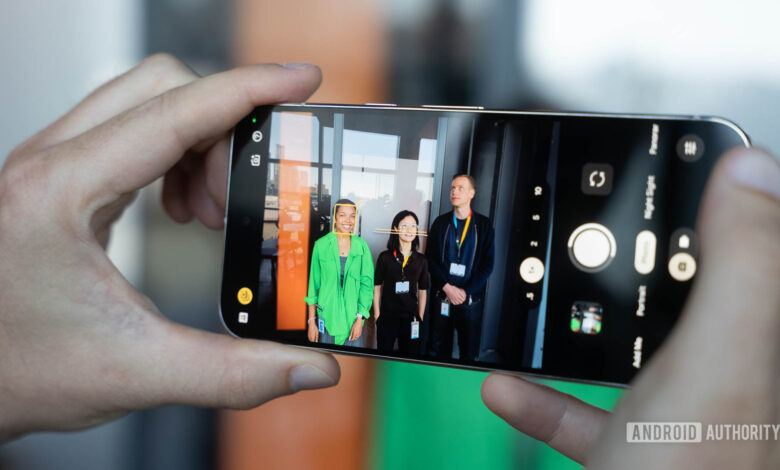
In earlier builds such as Pixel Camera 10.4, tweaking specific shooting parameters meant interacting with prominent, linear slider bars. Pixel Camera 11 replaces those larger elements with minimalist, dial-style wheels that sit neatly on the screen.
These redesigned adjustment dials give photographers quick access to fine-tune a variety of capture settings, including:
- Focus
- Looks
- Exposure and Shadows
- White balance
- Shutter speed and ISO
Organization has also been updated behind the scenes. Rather than relying on a basic on/off toggle in the main menu, Quick access controls now reside within a dedicated settings submenu. From there, users can customize where individual dials appear on the display to better fit their preferences.


Unlocking the Hidden Controls
Despite the aesthetic improvement, the redesigned interface comes with a design quirk: the controls are turned off by default on new Pixel 11 devices.
Once enabled inside the camera settings, the dials still do not stay permanently visible on the display. To maintain an unobstructed view of your shot, the app keeps them hidden until you interact with the display. Tapping anywhere on the active viewfinder causes the controls to appear along the sides of the screen.
Because the app lacks a visual prompt explaining this tap-to-view mechanism, users unfamiliar with the change might easily overlook the feature. Adding a brief explanatory guide inside the menu settings would make discovering these controls considerably easier.
Directly Launch Into Video or Magic Capture
Pixel Camera 11 also introduces a practical efficiency feature called Launch mode. Traditionally, opening the camera app defaults directly to standard Photo capture. With Launch mode, users can reconfigure the app to boot immediately into Video or Magic Capture instead.
This default behavior applies both when tapping the app icon and when activating the camera via the double-tap power button shortcut. For creators who primarily shoot video or rely heavily on Magic Capture, this customization removes a step from their shooting workflow.
Future Availability
While Magic Capture is currently limited to the new Pixel 11 lineup, Google frequently expands software enhancements across its hardware family over time. It is widely anticipated that the redesigned Quick access interface and custom Launch mode options will eventually reach older Pixel models through upcoming app updates.