Modernizing Linux Antivirus: A Guide to Using ClamUI with ClamAV
While Linux systems are generally considered secure out of the box, handling files destined for Windows computers requires extra care to prevent passing along malicious content. For years, ClamAV has served as a go-to open-source scanning solution on Linux. However, its traditional graphical interface, ClamTK, feels dated and less than intuitive to navigate.
ClamUI offers a modern, clean front-end for ClamAV. It streamlines signature database updates, provides clear log management, and simplifies scanning tasks into an easy-to-use interface.
Why Choose ClamUI?
ClamUI improves the overall user experience while keeping system resource overhead low. Key highlights include:
- Preconfigured Profiles: Select scan targets easily from a drop-down menu, such as quick scans, full system checks, or specific home directory audits. Users can also select custom directories manually.
- Integrated EICAR Testing: Verify that virus detection is working properly with a single click. ClamUI includes a safe EICAR test function, which utilizes a harmless test file to verify engine updates.
- Simplified Database Maintenance: Keeping security definitions up to date requires just a single button press.
- Actionable Results: When threats are identified, users can quickly view details to quarantine files, exclude false positives, or copy path names for manual review.
How to Install ClamAV and ClamUI
Before using ClamUI, the underlying ClamAV engine must be present on your system.


Step 1: Install ClamAV
If ClamAV is not already installed, use your distribution’s package manager to set it up via the terminal:
- Ubuntu / Debian:
sudo apt install clamav clamav-daemon clamav-freshclam -y - Fedora:
sudo dnf install clamav clamav-update clamd -y - Arch Linux:
sudo pacman -S clamav
Step 2: Install ClamUI
ClamUI is distributed via Flatpak. If your desktop distribution includes Flatpak integration in its software center, simply search for ClamUI and click Install.
Alternatively, install it directly from the terminal using Flathub:
flatpak install flathub io.github.linx_systems.ClamUI
Once the installation finishes, launch ClamUI from your desktop application menu.
Running Scans and Updating Signatures
Using ClamUI involves a few straightforward steps:
1. Update the Virus Database
Before starting a scan, navigate to the Database tab in the sidebar and select Update Database. When prompted, enter your user password. Once the process completes, the status window will display UPDATE COMPLETE.
2. Choose a Scan Profile
Switch to the Scan tab. Click the Profile drop-down menu and choose your target directory. For general desktop maintenance, selecting Home Folder will cover your user data.
3. Start the Scan
Click Start Scan. Because ClamAV operates with minimal impact on system performance, desktop work can continue as normal while the process runs in the background.
Real-World Performance and Features
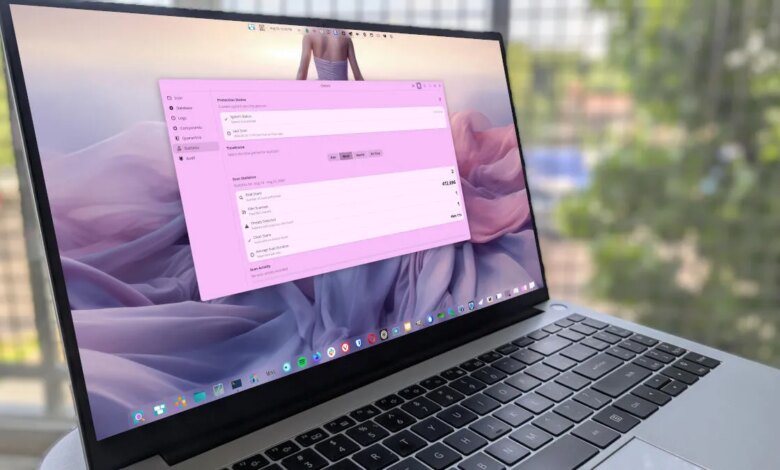
Scan speed depends heavily on file volume. For example, auditing a home directory containing 412,695 items—including hidden configuration files (.config) and system caches (.cache)—can take over an hour. Throughout such an audit, system performance remains smooth.
When a scan finishes, ClamUI notifies you of any detected security threats. Clicking View Results opens a pop-up window containing actionable options. If a test file (such as a previously downloaded EICAR sample) is flagged, you can easily exclude it from future scans, move it to quarantine, or copy its path to locate it manually in your file manager.
Limitations to Consider
Like ClamTK, ClamUI does not feature built-in automated scan scheduling. Users who want to configure recurring daily or weekly background checks will need to set up a standard cron job using the ClamAV command-line utility.
Final Thoughts
ClamUI provides a vast aesthetic and functional upgrade over traditional ClamAV graphical wrappers. Its streamlined design, profile options, and convenient test tools make it an excellent choice for desktop Linux security management.